
Guide navigation
The workspace
Updated
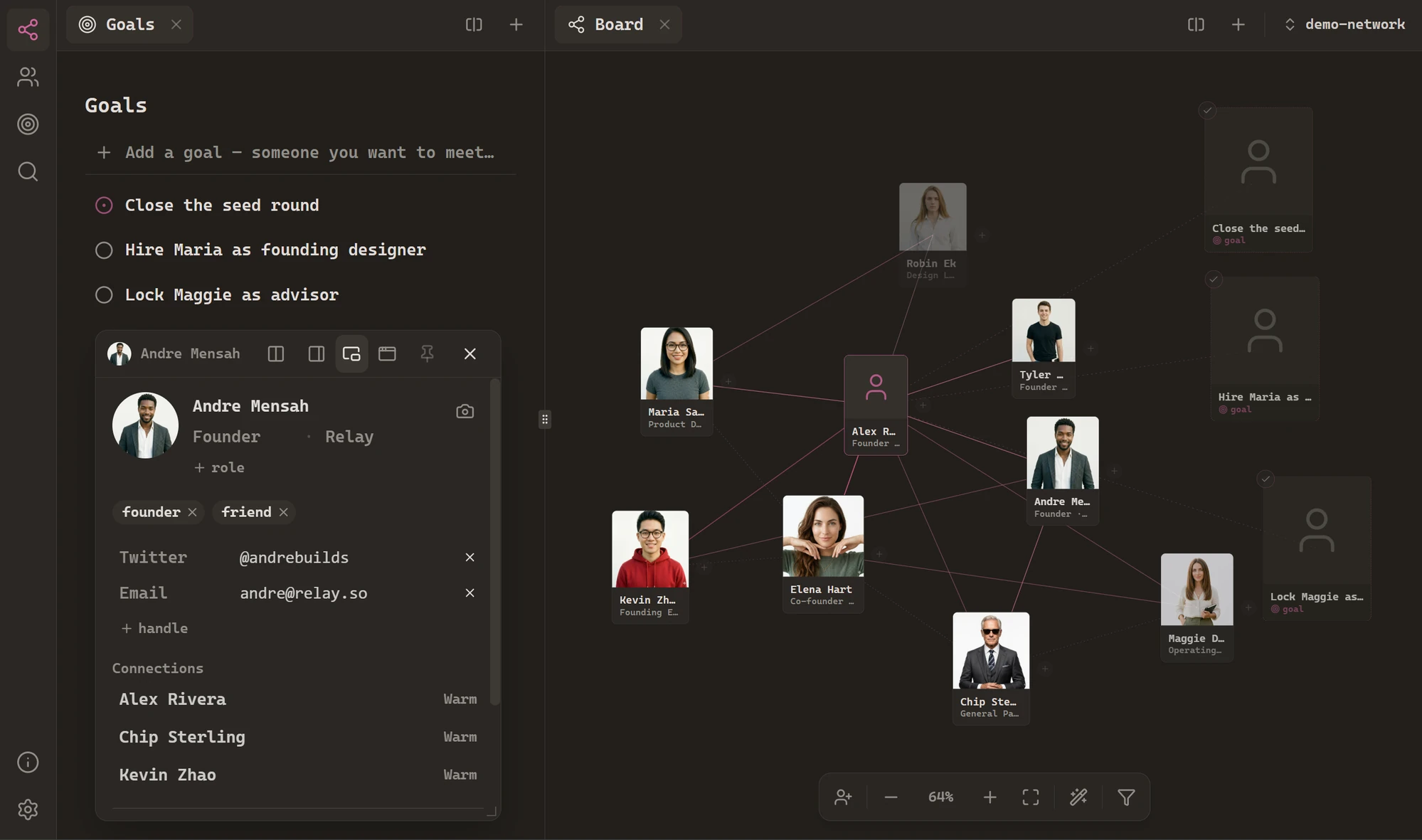
Handshake has a true Obsidian-style workspace: tabs in every pane, resizable splits, and notes that pop out into floating windows. Arrange it how you think – it's saved as you go, per network.
Tabs
Every pane has its own tab strip, and tabs behave exactly like a browser's: drag to reorder, drag one into another pane to move it, close from the always-visible ×. Crowd a pane with enough tabs and they shrink to icons rather than scrolling away.
Splits
Drag a tab to any edgeof a pane – left, right, top, bottom – and the workspace splits there, with a live preview of where it'll land. Splits resize by dragging the divider and nest as deep as you like: board on the left, a person's note top-right, your goals below it.
Panel, float, or tab
A person's note can live three ways: as the slide-in panel (the default – quick, transient), as a floating window you can move and resize anywhere, or as a tabdocked into the workspace like any other view. The icons in the note's header switch between them, and a pin keeps a panel open while you click around the board.
Which mode notes open in by default – and how big floats and panels start – is yours to set in Settings → Notes.
It stays where you left it
The whole arrangement – the split tree, every pane's tabs, floating windows, sizes – is saved continuously, per network. Quit, reopen, and the workspace is exactly as you left it.Work and personal networks each remember their own layout.