
Guide navigation
Getting started
Updated
Handshake is a local-first desktop app for mapping the people you know. This page takes you from download to a living map of your inner circle – it genuinely takes a few minutes.
Install Handshake
Grab the installer for your platform from the download page – macOS, Windows, and Linux are all first-class. Handshake is in public beta and isn't code-signed yet, so your OS may warn on first launch; the download page walks you past Gatekeeper and SmartScreen in one click each.
Create your first network
On first launch, Handshake asks you to create a network – a plain folder on your disk where everything will live, as markdown files you can read forever.
- 1Click New network and pick a folder (or let Handshake create a dedicated one).
- 2Name yourself – Handshake seeds your own card as the root of the map.
- 3You land on the board, with you at the center. That's the whole setup.
Add your first people
Start with your inner circle – the five or ten people you actually talk to. There are two natural ways in:
- 1On the board: click the add-person button in the bottom toolbar, type a name, and the card materializes next to you.
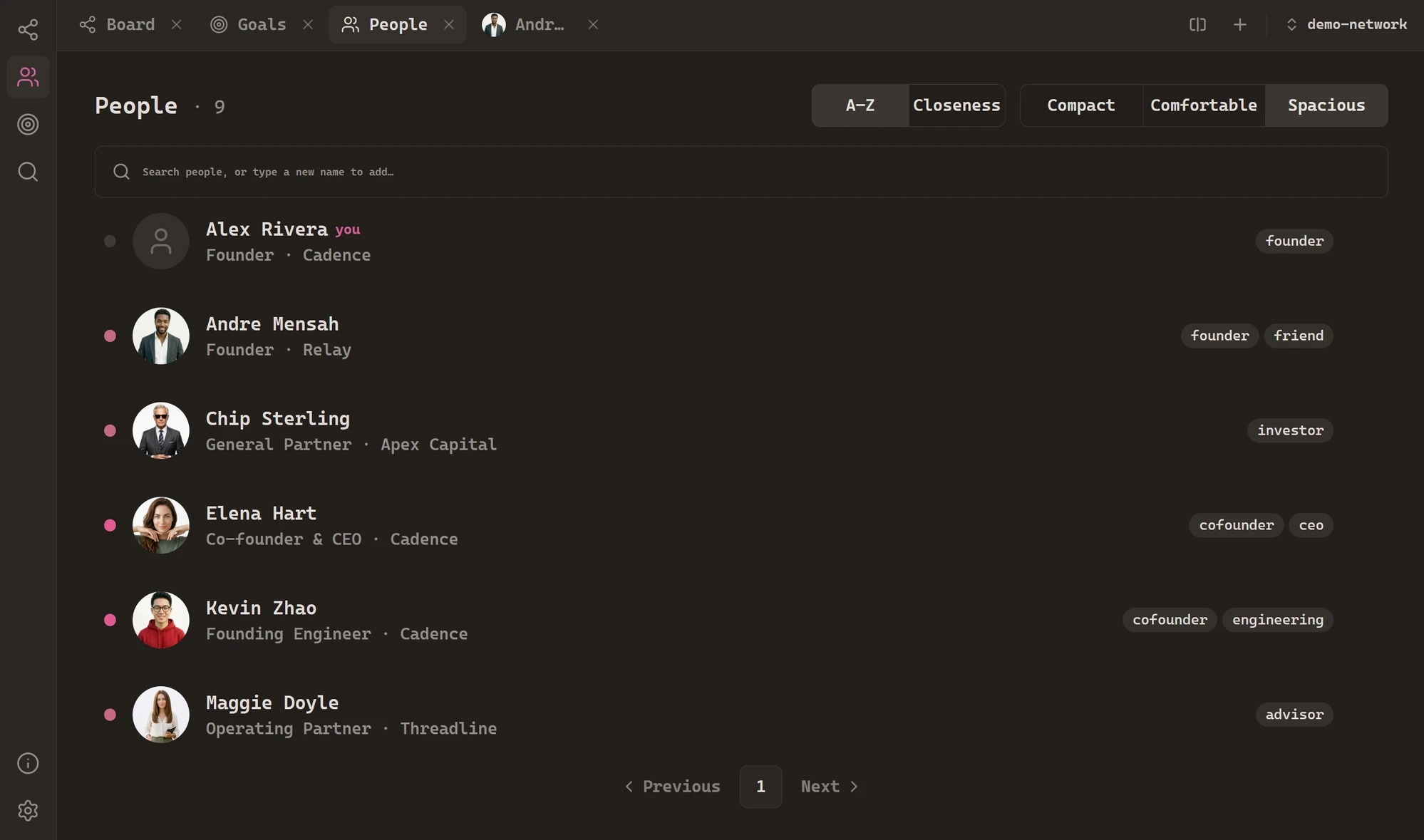
- 2In the People view: open People from the left rail and just type a name in the search box – if nobody matches, Handshake offers to create them.
Give each person a role and company on their card, a photo if you like (click the avatar on their note), and a tag or two – founder, friend, investor – whatever helps you think.
Connect them
Ties are what make it a network. Open someone's note, add a connection to another person, and pick how warm it is – close, warm, cold, or dormant. The board draws the line immediately, weighted by warmth.
Where to go next
The board is the heart of the app, so that's the next stop – then notes and backlinks, where the map starts thinking with you. And whenever you're lost, press Ctrl+P – the command palette can reach everything: people, views, settings, snapshots.