
Guide navigation
The board
Updated
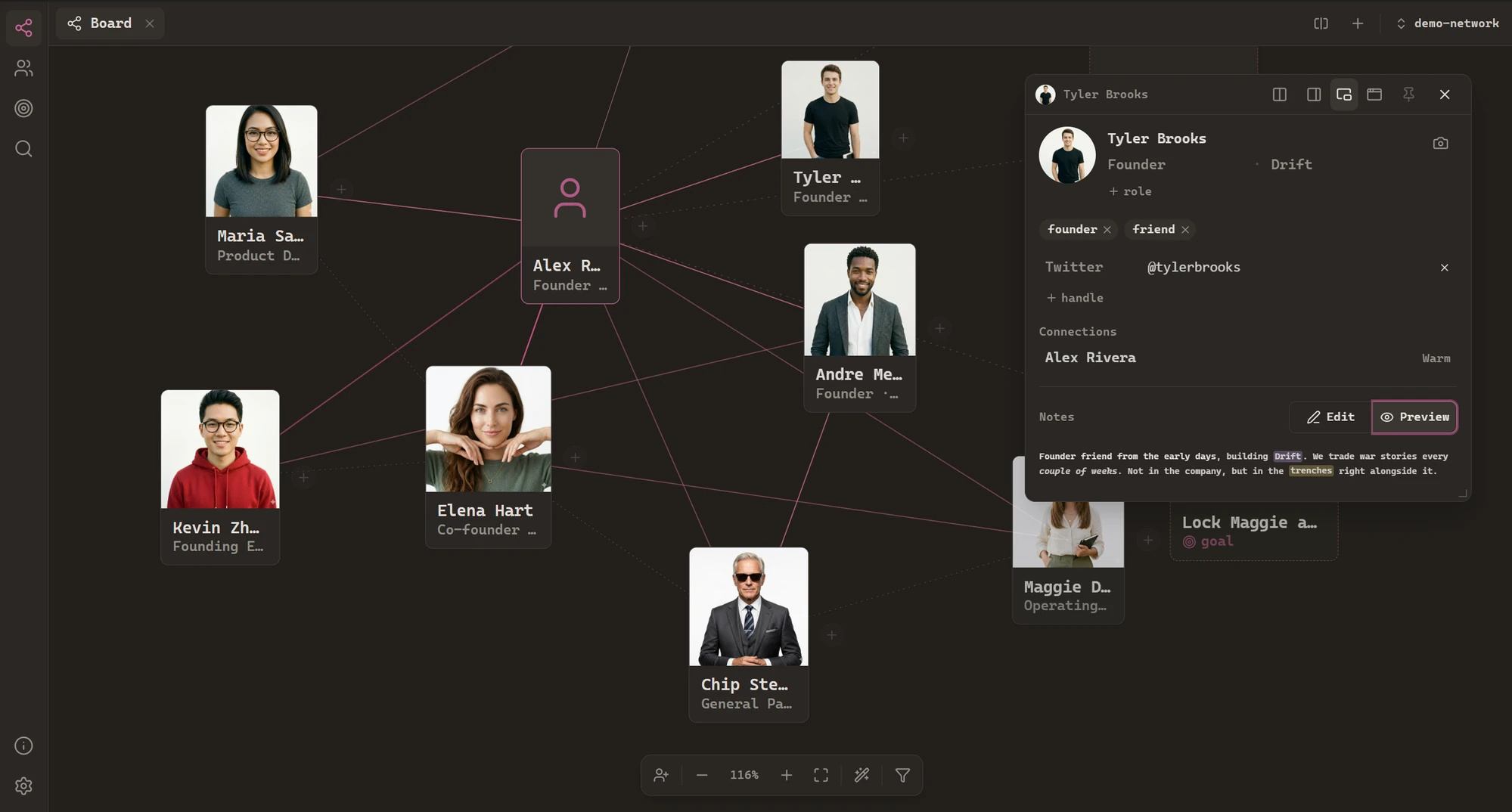
The board is Handshake's home view: a pannable, zoomable map of your whole network, rooted on you. Every person is a card with a face; every relationship is a line you can read at a glance.
Reading the board
You sit at the center. Everyone else fans out around you, connected by ties whose warmth sets how strongly the line reads:
Two other kinds of lines appear as your network deepens: introduced-by lines (dotted, muted) trace who brought whom into your orbit, and backlink lines(dotted, rose) appear when one person's note mentions another. Cards with many inbound mentions grow slightly – the people your notes keep coming back to literally loom larger.
Moving around
Drag the canvas to pan, scroll to zoom. The toolbar at the bottom center carries everything else: add a person, zoom out/in or reset, fit the whole network in view, and the wand – re-tidy – which re-flows every card back to a clean auto-layout (undoable, like everything).
Cards go where you drop them, and the layout is saved per network – your spatial memory is part of the data. If you lose someone, the command palette jumps to them and flashes their card.
Filtering
The funnel icon in the toolbar opens the board filter: pick tags or tie strengths, and everyone who doesn't match fades back while the matches stay bright. It dims rather than hides, so the shape of your network stays intact while you focus – "show me the investors I'm close to" is two clicks.
Goals on the board
Goals – "meet someone at Stripe", "hire a founding designer" – can live directly on the board as dashed cards. Pin one near the people who can get you there; tick it off when it happens. They're managed in the Goals view and can be hidden entirely in Settings → Board.